In brief: Payroll software with a mobile app allows businesses and employees to manage payroll tasks from anywhere, including approving pay runs, accessing payslips, requesting leave, tracking attendance, submitting expenses, and updating personal information. Mobile payroll has become a standard feature rather than a premium add-on, reflecting the rise of remote and deskless workforces. When evaluating solutions, security is the top priority, with features such as end-to-end encryption, multi-factor authentication, and compliance with GDPR and other privacy regulations. Offline access is valuable for field workers with limited connectivity, while seamless integration with HR, accounting, and ERP systems helps avoid data silos. Automatic updates to tax rules and labour law compliance ensure payroll remains accurate and compliant across both desktop and mobile platforms.
What Is Payroll Software with a Mobile App?
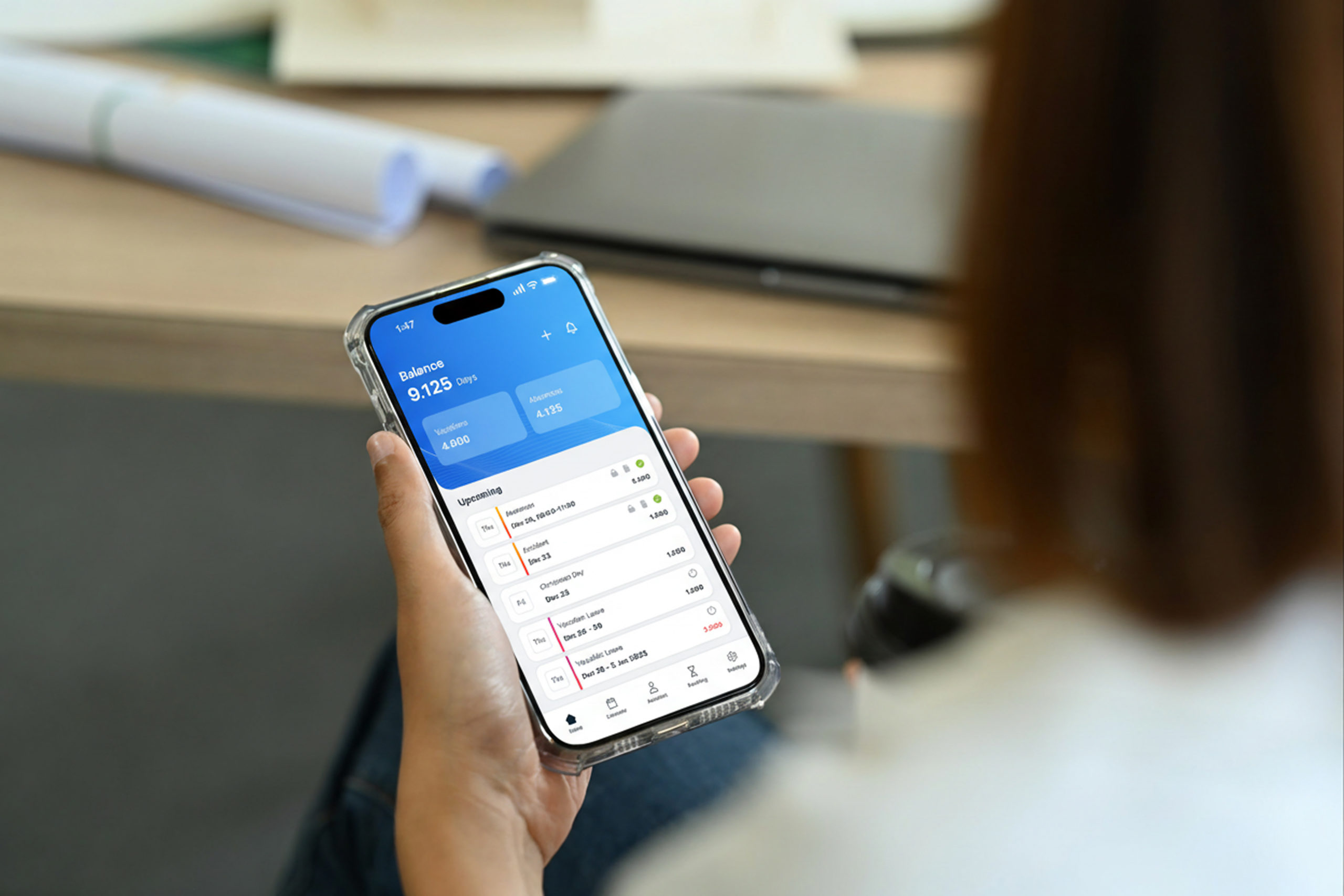
Payroll software with a mobile app is a payroll platform that provides a native smartphone or tablet interface alongside its desktop or web-based system. Rather than restricting payroll functions to office computers, mobile-enabled payroll software allows employers, managers, and employees to access payroll-related tasks from any device, at any time, from any location.
A native mobile app differs from a mobile-responsive website. A native app is built specifically for iOS or Android operating systems, uses device hardware such as the camera for receipt scanning and GPS for attendance verification, and can function with limited or no internet connectivity. A mobile-responsive site is simply a desktop interface resized for a smaller screen, without the same depth of functionality or performance.
“The adoption of mobile technologies is reshaping human resource management by enabling employees and managers to access HR services, including payroll and self-service functions, anytime and anywhere.” Deloitte
Why Is Mobile Access to Payroll Now Essential?
Three structural changes in the workforce make mobile payroll access a necessity rather than a convenience: the rise of remote work, the prevalence of deskless workers, and the universal expectation of smartphone-based self-service.
Remote and Distributed Workforces
- Employees working from home, coworking spaces, or across time zones cannot rely on office-based payroll systems for routine tasks such as submitting a leave request or downloading a payslip.
- Managers approving payroll runs or expense claims may be travelling or working flexible hours outside standard office times.
- HR business partners supporting distributed teams need real-time access to employee data without requiring a VPN connection to an on-premise system.
Deskless Workers
- An estimated 80 percent of the global workforce is deskless, working in sectors such as construction, retail, healthcare, logistics, and hospitality without a fixed workstation.
- For deskless workers, a mobile app is often the only practical channel through which payroll self-service is accessible.
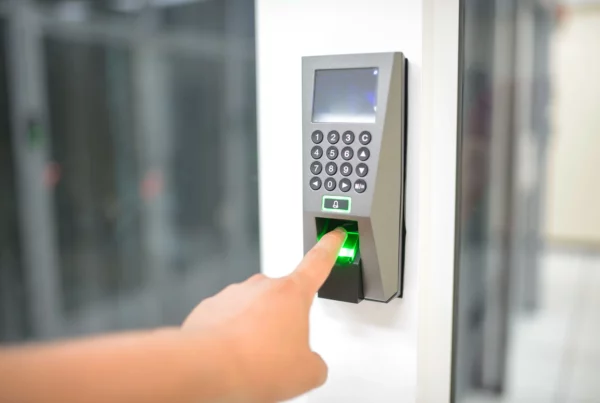
- GPS-verified mobile clock-in replaces paper timesheets and reduces the wage theft and time fraud that manual attendance systems are vulnerable to.
Employee Expectations
- Employees routinely use smartphones for banking, shopping, healthcare, and government services. The expectation that payroll access should be equally convenient is well established.
- Younger workers entering the workforce have never experienced payroll administration that did not include a digital self-service component.
- Organizations that offer mobile payroll self-service report lower HR query volumes and higher employee satisfaction scores on payroll-related survey questions.
What Features Should Mobile Payroll Software Include?
Not all mobile payroll apps offer the same depth of functionality. The table below sets out the core feature categories, what each does on mobile, and which user groups benefit most.
| Feature Category | What It Does on Mobile | Who Benefits Most |
| Payslip access | View, download, and share payslips from any device | All employees, especially remote and deskless workers |
| Pay run approval | Approve payroll runs with multi-factor authentication | Managers and finance leads working away from office |
| Leave and absence | Submit, approve, and track leave requests in real time | Line managers and HR business partners |
| Expense submission | Photograph receipts and submit expense claims instantly | Field workers, sales teams, and frequent travelers |
| Time and attendance | Clock in and out via GPS-verified mobile check-in | Hourly workers, construction, retail, and hospitality |
| Tax document access | Download annual certificates and tax forms on demand | Employees in multi-country or withholding-tax arrangements |
| Notifications and alerts | Push alerts for payroll deadlines, approval requests, compliance updates | Payroll administrators and HR managers |
| Data update self-service | Change bank account details, address, and emergency contacts | All employees; reduces HR query volume significantly |
How Secure Is Payroll Data on a Mobile App?
Payroll data is among the most sensitive personal data an organization processes. It includes bank account details, tax identification numbers, salary information, and in some cases health and disability data relevant to sick pay or adjusted working arrangements. Securing this data on mobile devices requires multiple layers of protection.
Authentication and Access Control
- Multi-factor authentication (MFA) is the minimum standard. Users should be required to verify identity through at least two factors: something they know (password or PIN) and something they have (authenticator app, SMS code, or biometric confirmation).
- Biometric login using fingerprint or facial recognition is widely supported on modern devices and significantly reduces the risk of credential theft.
- Session timeout policies should automatically log users out after a defined period of inactivity, particularly important on shared or lost devices.
- Remote wipe capability allows an employer to erase payroll app data from a device reported lost or stolen.
Data Encryption and Storage
- Data transmitted between the mobile app and payroll servers must be encrypted using TLS 1.2 or higher.
- Data stored on the device should be encrypted at rest using the device’s secure enclave or equivalent hardware-backed encryption.
- Payroll apps should not store sensitive data in device logs, temporary files, or clipboard memory accessible to other applications.
Compliance Certifications to Look For
- SOC 2 Type II: independent audit confirming that security controls have been operating effectively over a sustained review period, not just at a point in time.
- ISO 27001: international standard for information security management systems.
- GDPR and equivalent data privacy certifications confirming lawful processing of employee personal data.
How Should You Evaluate Mobile Payroll Software?
Selecting payroll software with a mobile app requires a structured evaluation process that goes beyond a product demonstration. The table below provides a framework covering the most critical criteria, what to look for in each, and the warning signs that indicate a poor fit.
| Evaluation Criterion | What to Look For | Red Flags |
| Security | End-to-end encryption, biometric login, SOC 2 Type II certification | No MFA, unclear data hosting location, no security audit evidence |
| Offline functionality | Core features available without internet; sync on reconnection | Fully cloud-dependent with no offline mode for field teams |
| Platform coverage | Native iOS and Android apps with feature parity | Mobile-only web wrapper with limited functionality vs desktop |
| Integration | Pre-built connectors to HRMS, accounting, and ERP systems | Manual CSV import only; no API documentation available |
| Compliance updates | Automated rule library updates with jurisdiction monitoring | Manual rate updates required by administrator each cycle |
| Employee experience | Intuitive UI, quick payslip access within three taps | Complex navigation; employee-facing features buried in menus |
| Scalability | Supports growth from 10 to 10,000 employees on same platform | Per-user cost structure that becomes prohibitive at scale |
| Support | In-app help, live chat, and dedicated implementation support | Email-only support with multi-day response times |
Recommended Evaluation Process
- Step 1: Map your payroll workflows. Document every payroll task performed by administrators, managers, and employees and identify which must be accessible on mobile.
- Step 2: Define security requirements. Establish non-negotiable security standards including MFA, encryption specifications, data residency, and required certifications before issuing a request for proposal.
- Step 3: Conduct a structured demo. Ask vendors to demonstrate specific mobile workflows, not a guided tour of their preferred features. Test the employee payslip access, manager approval, and compliance update flows directly.
- Step 4: Request a pilot. Run the mobile app with a sample group of real users for at least four weeks before full rollout. Measure task completion rates, support queries, and user satisfaction.
- Step 5: Validate compliance coverage. Confirm that the platform covers the specific tax jurisdictions, social contribution systems, and reporting formats relevant to your workforce locations.
What Compliance Obligations Apply to Mobile Payroll?
Moving payroll to a mobile platform does not change the underlying compliance obligations. It does, however, introduce new considerations around data privacy, cross-border data transfer, and audit trail integrity.
Data Privacy on Mobile Devices
- The EU General Data Protection Regulation requires that personal data, including payroll data, be processed lawfully, stored securely, and not retained longer than necessary. These obligations apply equally to data accessed through a mobile app.
- Mobile app permissions must be limited to what is strictly necessary for payroll functions. An app that requests access to a device’s contacts, microphone, or camera beyond what is operationally required may be in breach of data minimization principles.
- Employees have the right to know what payroll data is processed, how it is stored, and to whom it may be disclosed. Privacy notices must cover mobile data processing specifically.
Cross-Border Data Transfer
- When a mobile payroll app processes data from employees in EU member states, servers hosting that data must either be within the EEA or covered by an adequate transfer mechanism such as Standard Contractual Clauses.
- Data residency requirements vary by country. Some jurisdictions require that employee payroll data remain within national borders.
Audit Trail Integrity
- Every payroll action taken through a mobile app, including approvals, edits, and submissions, must be recorded in the same audit trail as desktop actions.
- Regulators do not distinguish between a pay run approved on a laptop and one approved on a smartphone. The record of who approved what and when must be identical in both cases.
How Does Mobile Payroll Benefit Employees Specifically?
The employee experience of mobile payroll is distinct from the administrator experience. For employees, the primary value is access, convenience, and reduced dependence on the HR or payroll team for routine information.
- Instant payslip access: employees can view and download current and historical payslips from their smartphone without waiting for a paper copy or logging into a desktop system.
- Reduced query volume: self-service access to payslips, tax documents, and leave balances eliminates the most common reason employees contact the payroll department.
- Faster expense reimbursement: mobile expense submission with receipt photography and automatic categorization shortens the reimbursement cycle from weeks to days.
- Real-time leave visibility: employees and line managers can view team leave calendars, submit requests, and receive approvals without email chains.
- Financial wellbeing tools: some payroll platforms integrate earned wage access through the mobile app, allowing employees to access a portion of wages already earned before the scheduled pay date.
- Pay transparency: mobile access to compensation statements and total reward summaries supports employee understanding of their full package, contributing to retention and engagement.
External References
The compliance, statistical, and regulatory content in this article is sourced from the following authoritative references:
International Regulatory and Labour Bodies
- International Labour Organization: future of work and deskless workforce: https://www.ilo.org/
- ILO working conditions and wages data: https://www.ilo.org/global/topics/wages/lang–en/index.htm
- World Bank mobile technology and workforce data: https://data.worldbank.org
- International Federation of Accountants (IFAC) digital finance resources: https://www.ifac.org/knowledge-gateway/preparing-future-ready-professionals
Data Privacy and Security Frameworks
- EU General Data Protection Regulation (GDPR) full text: https://eur-lex.europa.eu/eli/reg/2016/679/oj
- European Data Protection Board guidelines on employer data processing: https://edpb.europa.eu/our-work-tools/general-guidance/guidelines-recommendations-best-practices_en
- ISO 27001 information security management standard overview: https://www.iso.org/isoiec-27001-information-security.html
- California CPRA privacy regulations: https://cppa.ca.gov/regulations/
Payroll and Employment Legislation
- EU Pay Transparency Directive (EU) 2023/970: https://eur-lex.europa.eu/eli/dir/2023/970
- UK HMRC PAYE and payroll guidance: https://www.gov.uk/paye-for-employers
- US IRS employer tax and withholding guide: https://www.irs.gov/publications/p15
- Global Payroll Association knowledge and resource library: https://www.globalpayrollassociation.com
Key Points
- Payroll software with a mobile app provides native iOS and Android interfaces for pay run approvals, payslip access, time and attendance, expense submission, and employee self-service.
- Native mobile apps offer superior functionality, security, and offline capability compared with mobile-responsive web interfaces.
- Approximately 80 percent of the global workforce is deskless; for these workers, a mobile app is often the only practical channel for payroll self-service.
- Security requirements include multi-factor authentication, TLS encryption in transit, hardware-backed encryption at rest, and SOC 2 Type II or ISO 27001 certification.
- GDPR Article 25 requires data protection by design and by default, meaning mobile payroll apps must embed privacy protections from the ground up.
- Compliance obligations, including tax filings, audit trails, and social contribution calculations, apply equally whether payroll is processed via desktop or mobile.
- Evaluation should cover security certifications, offline functionality, platform feature parity, integration capability, compliance coverage, and employee experience.
- A structured pilot of at least four weeks with real users is strongly recommended before full mobile payroll deployment.
- Cross-border data transfer through a mobile app must comply with GDPR Standard Contractual Clauses or equivalent mechanisms where employee data leaves the EEA.
- Employee benefits of mobile payroll include instant payslip access, faster expense reimbursement, real-time leave visibility, and reduced dependence on the HR team for routine queries.