IN BRIEF:
|
What Is Timekeeping Software?
Timekeeping software is a handy digital tool that keeps track of when employees clock in and out, manages paid time off, and automates all those tricky calculations. It seamlessly connects with payroll, HR, and scheduling systems, creating a reliable source of truth for workforce time. This means no more messy time slips or spreadsheets just accurate, auditable data.
Used by businesses of all shapes and sizes, timekeeping software can adapt from small teams to large global workforces. It empowers managers to keep an eye on attendance trends, spot issues like late arrivals or early departures, and consistently enforce company policies. This is particularly useful for teams with flexible hours, shift work, or remote employees who might be checking in from various locations.
But it’s not just about clocking in and out; the right platform transforms time into valuable insights. Employers can see patterns in overtime, how well headcount is utilized, and labor costs broken down by department or project. Employees also reap the benefits with clear accruals, easy access to their schedules, and quicker payroll processing, which makes payday a lot smoother.
As organizations embrace modern timekeeping solutions, they often experience a cultural shift that emphasizes accountability and data-driven decision-making. This transformation goes beyond mere compliance or efficiency; it lays the groundwork for strategic workforce planning and fosters stronger employee engagement.
How Does Timekeeping Software Differ from Manual Time Tracking?
Manual time tracking often involves using paper timesheets, entering data into spreadsheets, or relying on basic punch cards. This method can be pretty slow, prone to mistakes, and tough to audit. It often leads to gaps in data and opens the door for issues like buddy punching, lost approvals, and late submissions. On the other hand, timekeeping software streamlines the process by automating data capture, validation, and reporting, making it a safer and more scalable option.
Manual tracking vs. timekeeping software at a glance:
| Aspect | Manual Tracking | Timekeeping Software |
| Accuracy | Error-prone: illegible entries, rounding mistakes | Automated capture with real-time validation rules |
| Compliance | Depends on manual checks; hard to audit | Auto overtime rules, break enforcement, full audit trail |
| Efficiency | Labor-intensive entry and reconciliation each pay period | Instant calculations, one-click export to payroll |
| Accessibility | Limited to one location or paper records | Web and mobile access with centralized records |
| Visibility | Little insight into patterns or labor costs | Dashboards for overtime, attendance, and utilization |
The impact on organizations is significant, particularly when it comes to scaling or managing multiple locations. The time saved during payroll processing, along with fewer disputes, leads to real cost savings and smoother operations for managers, HR, and finance teams.
What Are the Core Features of Timekeeping Software?
Timekeeping software usually revolves around a few key features that really make a difference in how effectively it supports everyday operations. These features work in harmony to cut down on manual tasks, boost accuracy, and deliver valuable insights for managers and HR professionals.
The three main feature groups include:
- Time capture and attendance tracking, which automatically logs clock-in and clock-out times with little to no input from users.
- Payroll-ready calculations and payroll integration, which take care of overtime, accruals, and tax considerations, seamlessly feeding data into payroll systems.
- Leave management, accruals, and shift scheduling, which simplify time-off requests, balance tracking, and automated shift planning.
These features come with customizable rules, role-based access, and real-time dashboards. Most platforms provide policy templates, mobile access, and connections for HR, payroll, and ERP systems. When done right, organizations can enjoy quicker payroll cycles, fewer disputes, and better visibility into labor costs.
How Does Time Capture and Attendance Tracking Work?
Time capture and attendance tracking are truly the lifeblood of any timekeeping system. They create a dependable record of who worked, when, and under what circumstances. This encompasses clock-in and clock-out times, breaks, and any approvals for exceptions or overtime.
In many organizations, attendance data plays a crucial role in shaping scheduling decisions, project costs, and compliance reporting, making accuracy vital for both payroll and planning. Modern platforms offer various capture methods tailored to different work environments:
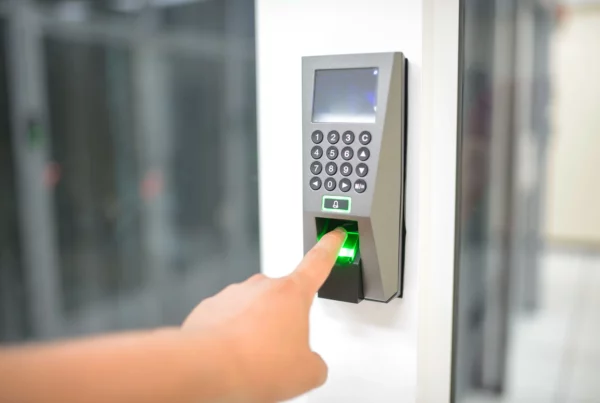
- Biometric authentication through fingerprint or facial recognition
- RFID or smart card badges for physical locations
- Mobile app clock-ins and outs with geofencing for remote and field workers
- Web portal or desktop clocking for office-based employees
With these methods in place, managers can gain real-time insights into attendance trends, spot patterns like chronic lateness, and respond swiftly with coaching or adjustments to schedules. Employees enjoy the perks of clear schedules, quicker time-off approvals, and fewer payroll discrepancies.
How Do Payroll-Ready Calculations and Integrations Function?
Payroll-ready calculations are all about turning time data into precise paychecks. These systems automatically handle overtime calculations, break rules, shift differentials, and accruals, seamlessly exporting or sending data to payroll processors, ERP systems, or benefits providers. This not only cuts down on manual entry but also reduces the chance of human error and speeds up the payday process.
The integration layer plays a vital role here. It ensures that data formats align with payroll feeds, manages tax jurisdictions, and supports compliance reporting. When timekeeping software is closely integrated with payroll, organizations can confidently run payroll, respond to auditor inquiries more swiftly, and allocate labor costs with greater accuracy. This is particularly beneficial for multi-site operations and project-based teams where varying pay rules exist across different regions.
How Do Leave Management and Shift Scheduling Work?
Managing leave, tracking accruals, and scheduling shifts can really streamline the process of handling time-off requests and staffing needs. Leave workflows help automate approvals, keep balances updated in real time, and make sure eligibility rules are consistently applied. You can set up accruals to align with local labor laws and company policies, which helps avoid the overuse or misapplication of paid time off.
When it comes to shift scheduling, having access to time data allows managers to strike a balance between adequate coverage and cost control. The software can recommend the best staffing levels, highlight times when you’re short-staffed, and help minimize overtime by matching shifts to demand forecasts. For employees, this translates to clearer expectations, simpler time-off planning, and better insight into their remaining leave balances.
Teams that take advantage of these features often find they have fewer scheduling conflicts, quicker leave approvals, and more precise headcount planning. The result? A fairer, more predictable work environment that also helps with regulatory compliance and keeping costs in check.
What Are the Benefits and ROI of Timekeeping Software?
Using timekeeping software can really boost accuracy, compliance, and overall performance. By eliminating the need for manual data entry, companies can cut down on payroll mistakes and save time when it comes to reconciling hours after payday. This leads to lower administrative costs and happier employees who appreciate getting their pay and benefits on time.
But it doesn’t stop at payroll—managers can leverage reporting features to spot trends in attendance, overtime, and resource utilization. This valuable data helps with smarter budgeting, staffing choices, and keeping project costs in check. Over time, these enhancements add up, making the workforce more predictable and better aligned with what the business needs.
When you pair absence management & time tracking with scheduling tools and analytics, it gives organizations the power to anticipate demand, manage labor costs, and elevate service levels. The return on investment comes from a combination of direct savings on payroll processing and the indirect benefits of increased productivity and more accurate planning.
How Does Timekeeping Software Improve Accuracy and Compliance?
Automated validation helps cut down on common payroll mistakes, while audit trails keep a record of every change made to hours, approvals, and leave. This not only speeds up audits but also makes them less risky for both internal teams and external regulators. Organizations can confidently show that they’re following wage and hour laws, union agreements, and their own company policies. With real-time reporting, any irregularities can be spotted early, allowing for proactive fixes instead of scrambling to address issues during audits. Using standardized data formats and centralized records makes compliance easier across different jurisdictions and locations. By bringing all time data into one organized system, teams can tackle compliance questions with accurate, verifiable records that can withstand scrutiny. This solid foundation also paves the way for strategic decision-making that goes well beyond just the payroll department.
What Productivity Gains and Cost Savings Can You Expect?
When time data seamlessly flows into payroll and scheduling systems, the need for manual data entry drops, and processing times get a significant boost. Many organizations see their payroll cycles getting shorter, and the time spent on reconciliation decreases with each pay period. Industry benchmarks show that improvements can vary based on the size of the organization and its current practices. A recent study found that companies experienced a reduction in payroll processing times by 40 to 60 percent after switching to automated timekeeping. Plus, tasks related to supervision and approval speed up, allowing managers to focus more on developing their workforce and planning projects.
When it comes to seeing a return on investment (ROI), organizations often find it in these areas:
- Quicker payroll processing times and fewer errors during reconciliation each cycle
- Reduced costs for each payroll run as the need for manual fixes and rework decreases
- Speedier approvals from managers, allowing supervisors to focus on more valuable tasks
- Improved accuracy in project costing and labor allocation, which aids in profitability analysis
- Less risk of compliance issues and a lower chance of facing wage and hour penalties
How Is Data Security and Privacy Handled in Timekeeping Software?
Data protection really kicks off with solid access controls, encryption both at rest and in transit, and clearly defined roles that restrict who can view, edit, or approve time data. Regular security assessments and straightforward data retention policies are key to keeping information safe throughout its entire lifecycle.
Compliance features are a must-have. Timekeeping systems need to align with labor laws across different regions, enforce break requirements, and keep audit trails that track all changes made to time data. Having transparent processes allows organizations to show regulators and internal governance bodies that they’re on top of compliance.
Let’s not forget about privacy considerations. Systems should limit data collection to what’s absolutely necessary, obtain employee consent when needed, and facilitate data subject requests in accordance with relevant privacy laws. A careful approach to privacy not only fosters trust with employees but also helps mitigate organizational risk.
What Security Certifications and Controls Should You Look For?
When you’re checking out different platforms, keep an eye out for features like encryption, multi-factor authentication, and regular monitoring. These are key to keeping sensitive information safe from unauthorized access. Role-based access controls are also important, as they ensure that employees, managers, and HR staff can only see or change the data that’s relevant to their roles.
Having robust audit trails is crucial too; they track who accessed what data and when, including any changes made to hours, leave balances, and approvals. This level of visibility not only promotes accountability but also makes it easier to investigate any discrepancies that might pop up.
Look for vendors who share independent security reports and hold certifications like SOC 2 Type II or ISO 27001, as this shows their dedication to maintaining strong security and governance practices. Additionally, make sure they have clear incident response plans, data backup strategies, and continuity measures in place. These components are essential for minimizing downtime, safeguarding data integrity, and ensuring that service levels remain steady, even when disruptions occur.
KEY POINTS
|
 Timekeeping software replaces error-prone manual tracking with automated capture, validation, and payroll-ready exports.